QR Code Pairing
This guide explains how to pair the Loft Interface with the LOFT App using the QR code shown on the screen.
When the Loft Interface starts for the first time, it displays a Scan to pair with Loft App QR code along with on-screen instructions under Connect Interface. This QR code contains the pairing information required for the connection, and pairing itself is completed from the LOFT App on your mobile device.
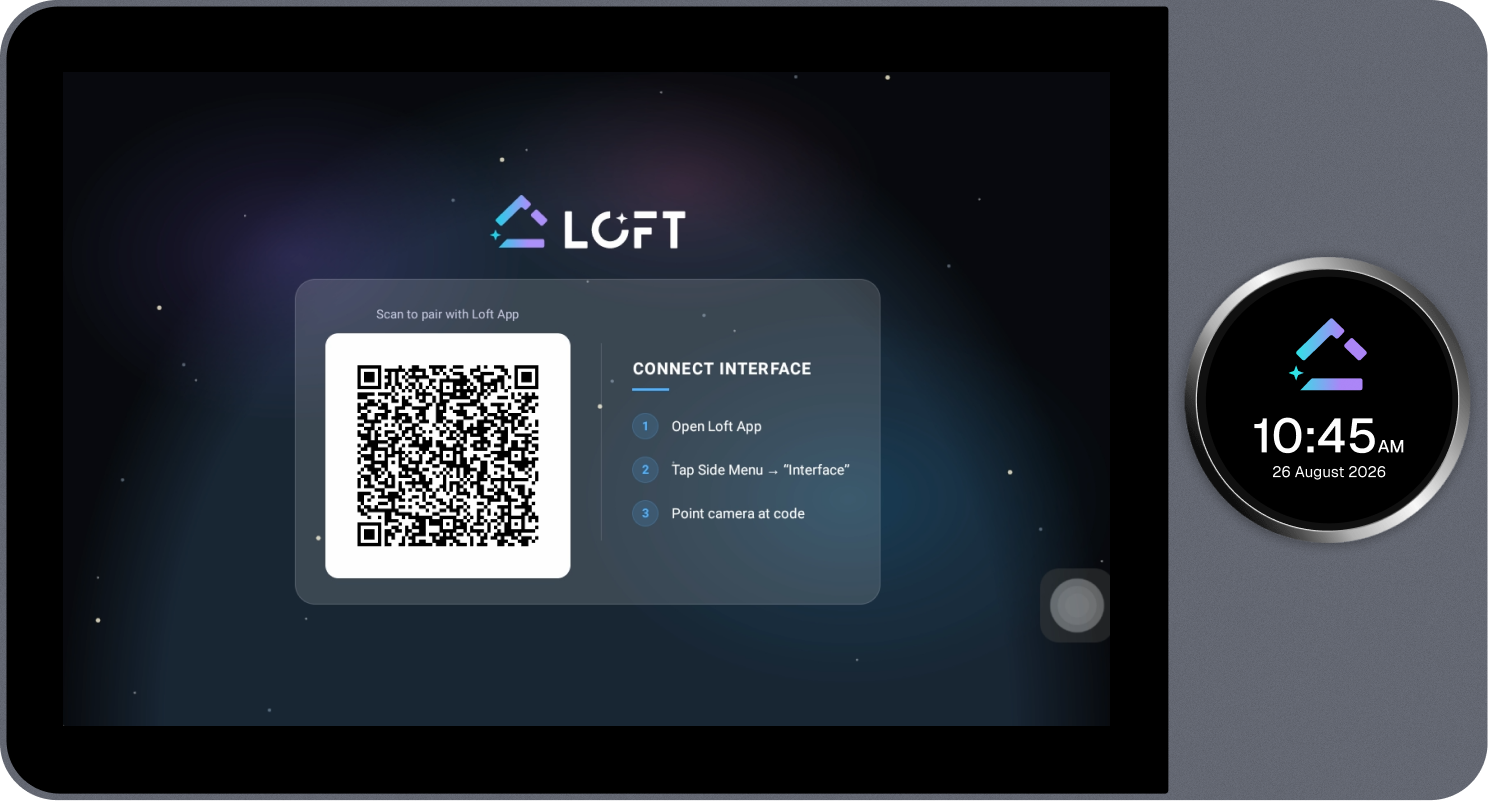
Steps
-
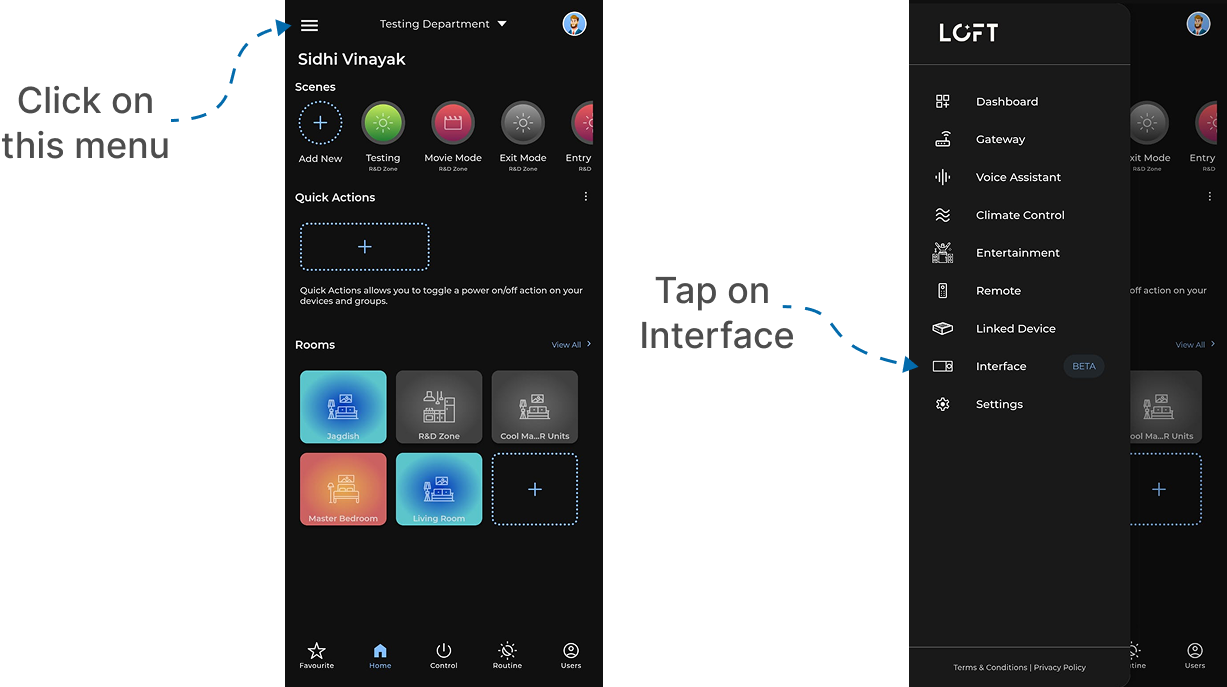
Open the LOFT App on the mobile device and tap the menu icon in the top-left corner to open the Side Menu.
-
From the Side Menu, select Interface.
-
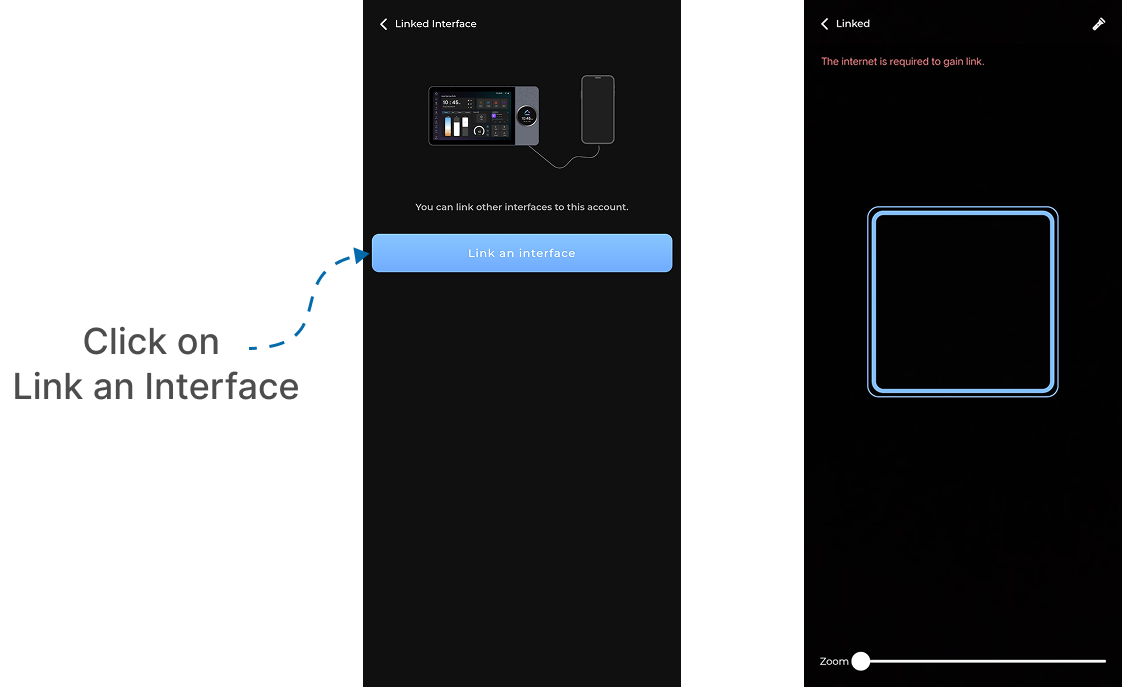
On the Linked Interface page, select Link an Interface.
-
The camera opens in scan mode. Point the mobile camera at the QR code shown on the Loft Interface screen and hold it steady until the code is detected.
An active internet connection is required to complete the link.
- Once the QR code is detected, the LOFT App completes the pairing automatically and the Loft Interface is linked to your account.
Next: Once pairing is complete, continue to Set Up the Screen.