Layout
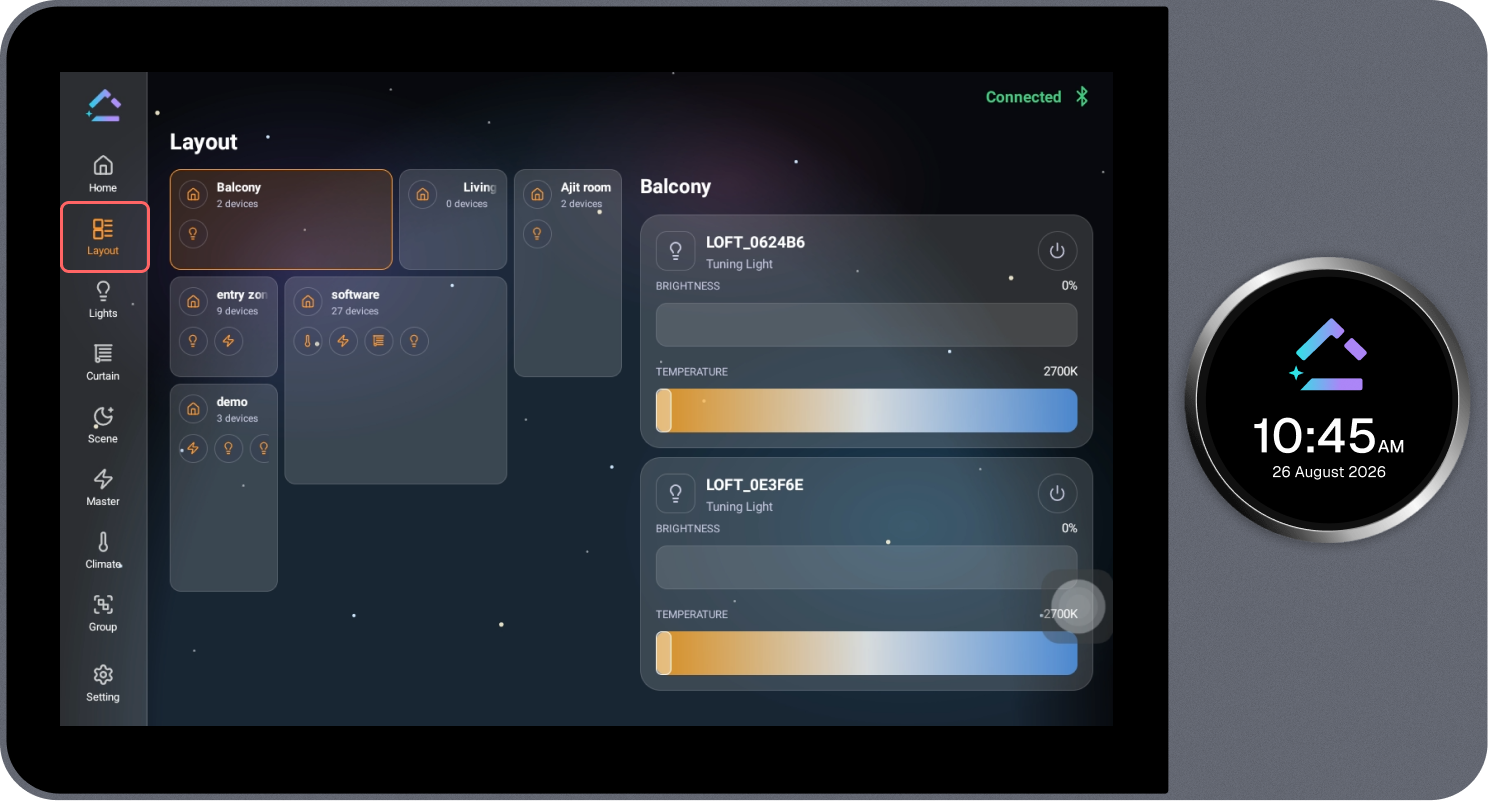
The Layout page displays the configured room layout. Each room is shown as a card with the number of associated devices, and its devices can be viewed and controlled directly from this page.
Steps
- Review the list of configured rooms and the number of devices in each room.
- Select the required room. The selected room is highlighted with an orange border.
- The devices in the selected room open on the right side of the page.
- Control the required device directly from this panel.