New Add-ons
The Loft Interface includes top header add-ons designed to give you instant visibility into your network health and fast, direct access to any device or automation across your entire space.
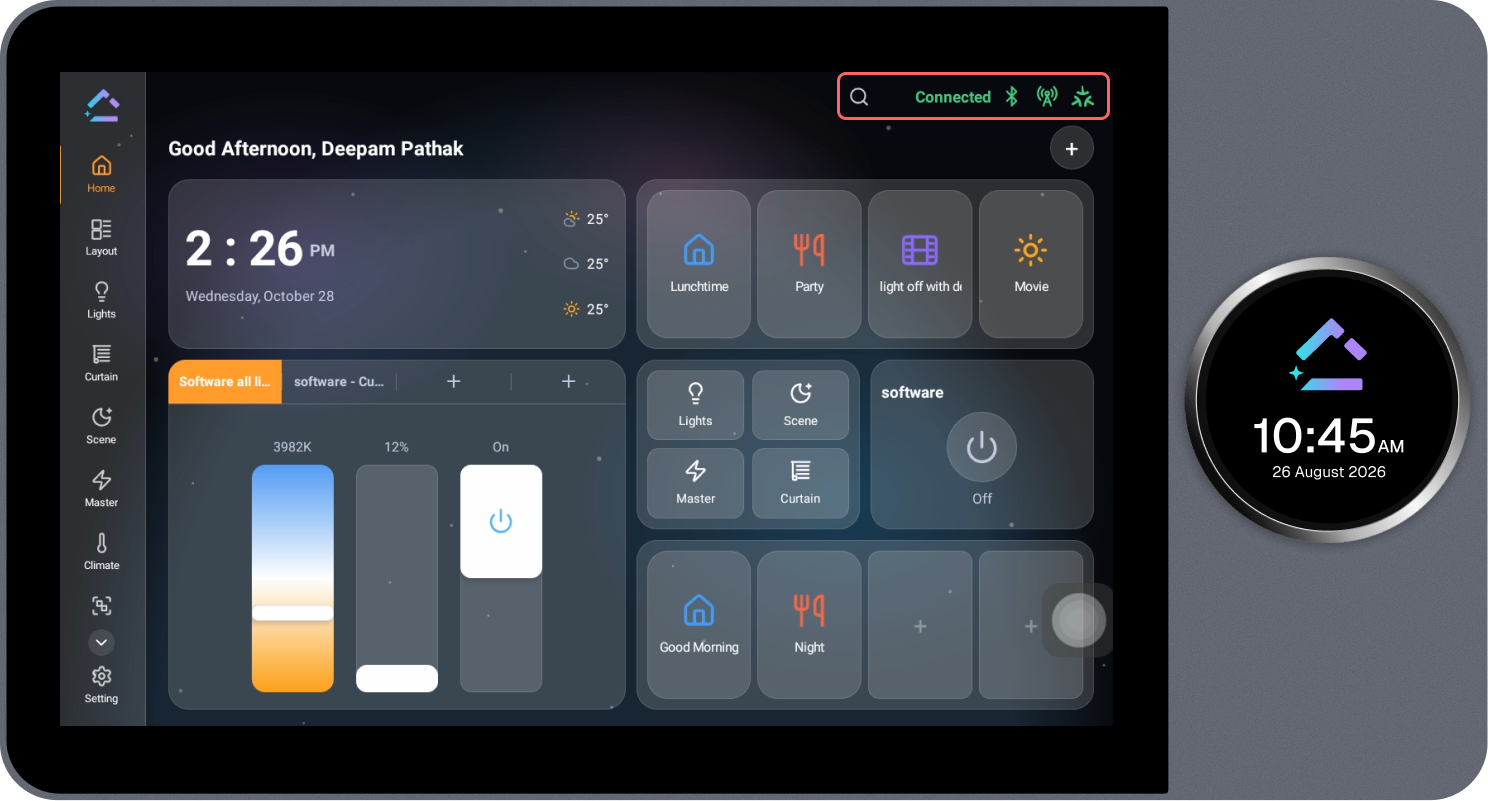
These features include Global Search across the project and real-time Connection Status Indicators for BLE Mesh, Internet & Cloud, and Matter.
Connection Status Indicators
The top header bar displays real-time connection status indicators, giving you immediate feedback on whether your Loft Interface is connected and communicating with all underlying network layers.
Status Indicators
- BLE Connection Status (Bluetooth Icon) — Displays the active or inactive status of the local BLE Mesh network, accompanied by the "Connected" status label in green when actively communicating. When connected, commands are sent directly to nearby mesh devices with ultra-low latency and without internet dependency.
- Internet & Cloud Connection Status (Antenna / Tower Icon) — Displays the active or inactive status of the Internet and Cloud Connection. When active (green), your system is connected to the internet and synchronizes data with the cloud, enabling remote access.
- Matter Connection Status (Matter Icon) — Displays the active or inactive status of the Matter Integration. When active (green), connected Matter controllers and bridges (such as Apple Home, Google Home, and Amazon Alexa) can communicate seamlessly with your Loft ecosystem.
Global Search Across Project
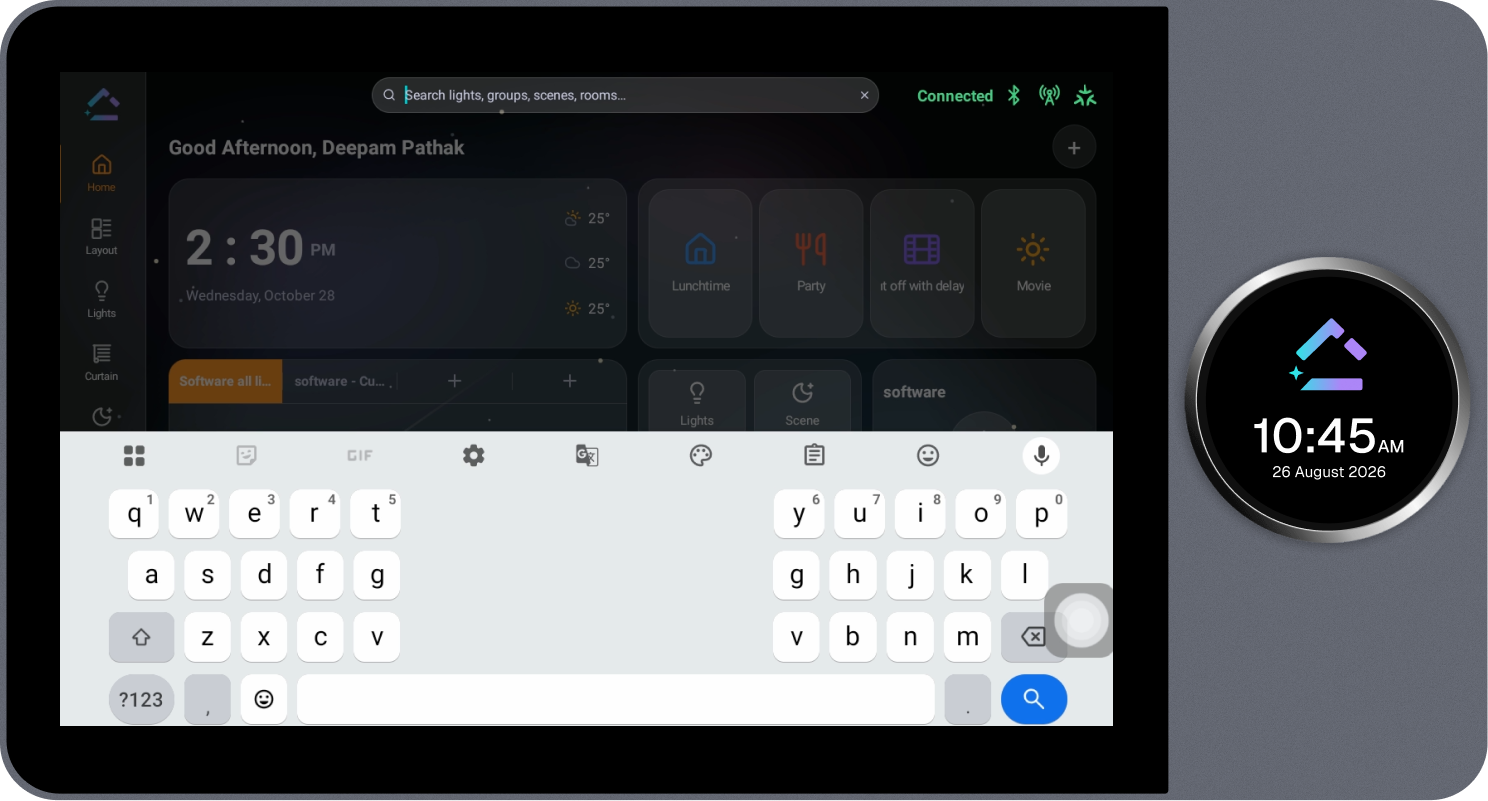
Global Search allows you to quickly locate and control any light, group, scene, or room across your entire project without manually browsing through individual room tabs or pages.
Steps to Use Global Search
- Tap the Search (magnifying glass) icon located in the top header bar next to the connection status indicators.
- The search bar will expand inline with the placeholder text:
"Search lights, groups, scenes, rooms..." - An on-screen virtual keyboard will appear at the bottom of the display.
- Type the name of the light, group, scene, or room you want to find. Search results filter in real time.
- Tap any result from the list to view its controls or trigger the action immediately.
- To clear your search or close the search bar, tap the "×" button inside the search field.