Lights
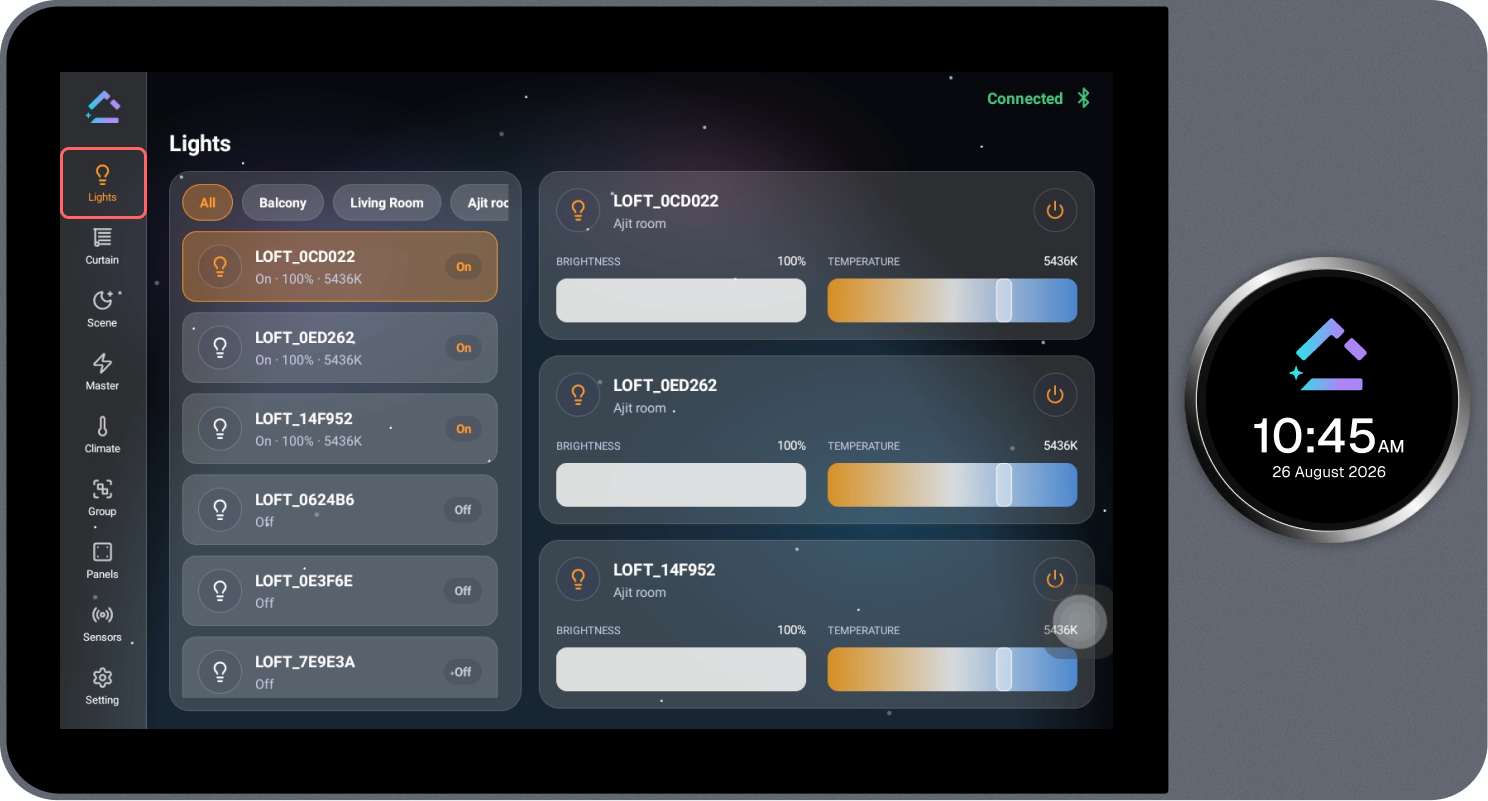
The Lights page displays all configured lighting devices together and allows the required lights to be controlled.
Steps
- Review the list of configured lights. Use the tabs at the top (All, Balcony, Living Room, and other rooms) to filter lights by room.
- Select the required light from the list.
- The light's controls open on the right side, showing Brightness and Temperature sliders.
- Adjust the brightness or temperature as required, or select the power icon to turn the light on or off.