Login with Email
Watch The Video Tutorial
Steps:
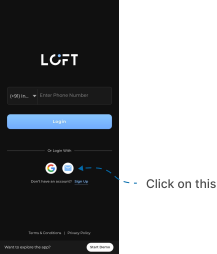
- Open the LOFT app. After the splash screen, the Login / Signup page appears.
- If you already have a LOFT account, so click on Email icon option.
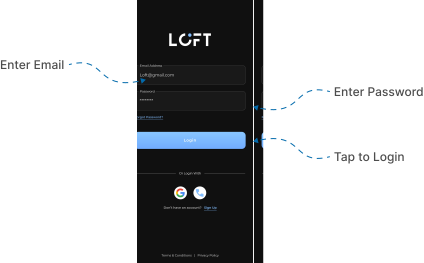
- Enter your registered email address and password.
- Tap the Login button.
- If your credentials are correct, you will be successfully logged in to the app.
Important notes (Login):
- Ensure you use the same email address that you verified during signup.
- Passwords are case-sensitive. Double-check caps lock before entering.