Cloud Mode
This guide provides information about Cloud Mode.
Switching to Cloud Mode allows you to operate and control your added devices from anywhere through the Gateway with internet access in the Loft App.
Watch The Video Tutorial
Steps to Enable Cloud Mode
Note:
To enable Cloud Mode in the Loft App, you must have a Gateway that is properly configured and added to a room.
- If you don’t know how to configure the gateway, click here.
- If you don’t know how to add the gateway to a room, click here.
- Open the Loft App.
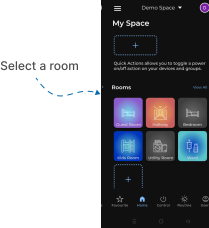
- Navigate to the Room in which you want to enable Cloud Mode.
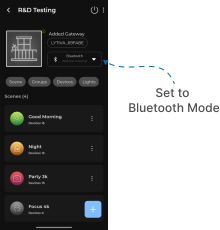
- At the top section, you’ll see the Mode status — by default, it is set to Bluetooth Mode, which means your devices are currently controlled without internet.
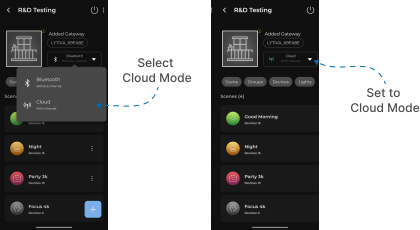
- Tap on it, and from the dropdown options, select Cloud Mode.
- Once Cloud Mode is enabled, all your devices in that room can be controlled from anywhere.
- Make sure that:
- The Gateway is added to the same room as the devices you want to control.
- The Gateway has a stable internet connection.