Child Lock
This guide explains how to setup Child Lock in Touch Panel using the Loft App.
⚠️ Note: To set up a Child Lock, ensure that Touch Panel is properly configured in the Loft App.
Watch The Video Tutorial
Steps to Setup Child Lock
-
Open the Loft App
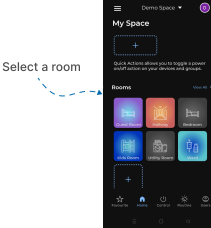
- Navigate to the Rooms section.
-
Select a Room
- Tap on the room from where you want to setup Child Lock.
- Locate the Device
- Find the Touch Panel Device, Tap it to proceed setup.
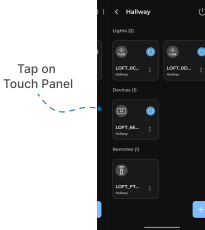
- Touch Panel Interface
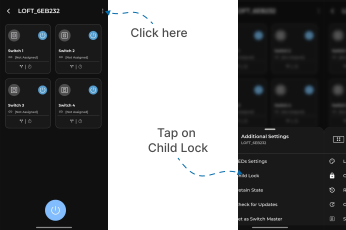
- Locate the three dots
⁝icon at the top-right corner and Tap on it. - A Additional Settings Menu popup will appear with multiple options.
- Tap on Child Lock.
- Locate the three dots
-
Confirmation
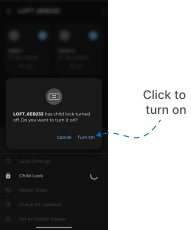
- A confirmation screen will appear. Click Turn On.
- Your Touch Panel is now successfully Child Locked.